Parth: AI coding agent for your IDE
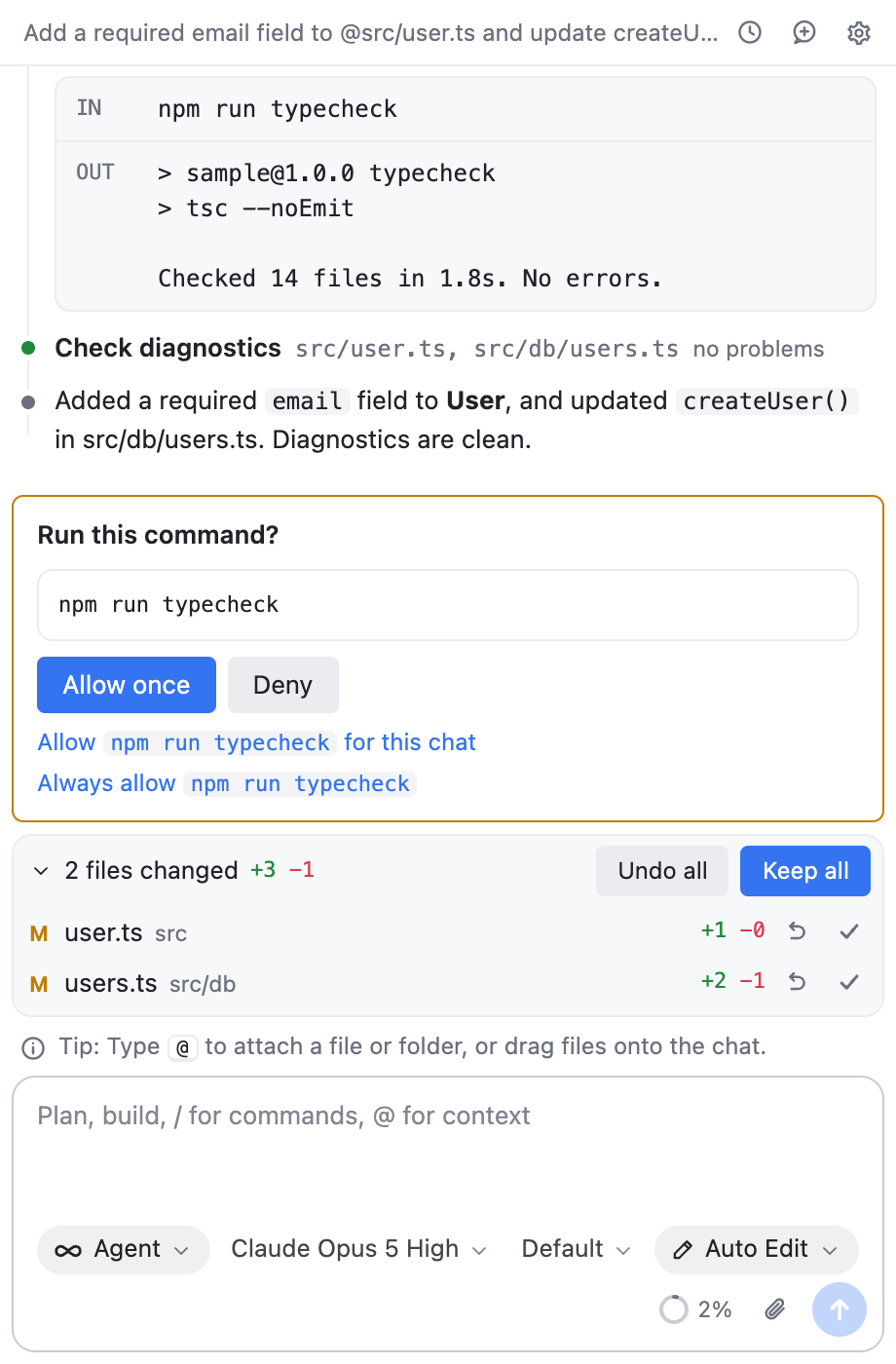
Parth is an AI coding agent inside your IDE. Describe a change in the chat and it reads your code, edits it, updates the files that depend on the change, checks its work with the IDE’s inspections, and shows every edit for review. Use any AI provider or a local model with your own account, and keep or undo each change.
Start here: pick your IDE
Install for VS Code Install for JetBrains IDEs
Cursor, Windsurf, VSCodium and other VS Code-based editors install from Open VSX: see the guides below.
| Your IDE | Where you get Parth | Guide |
|---|---|---|
| VS Code | VS Code Marketplace | Install in VS Code |
| IntelliJ IDEA, PyCharm, WebStorm, GoLand, Rider, CLion and other JetBrains IDEs (2025.2 or newer) | JetBrains Marketplace | Install in a JetBrains IDE |
| Cursor | Open VSX, from Cursor’s Extensions view | Install in Cursor |
| Windsurf, VSCodium, Trae, Positron, and other editors built on VS Code | Open VSX | Install in other VS Code-based editors |
Not sure which one applies, or what Parth needs? See Install: requirements and differences.
Then, in five steps
- Install it in your IDE and open the Parth panel.
- Connect an AI provider: paste an API key or sign in. Or run a local model with no account at all.
- Pick a model and a mode: Agent edits files, Plan and Ask are read-only.
- Ask for a change, attaching the files that matter.
- Review what changed: open a diff, then Keep or Undo each file.
You stay in control the whole time: permissions decide what the agent may do without asking, and deleting files always asks.
What you can do with it
- Attach context your way:
@search, 📎, drag and drop, right-click → Add to Parth Chat, selected code, pasted code and screenshots. - Three modes: Agent edits files and checks the result. Plan and Ask are read-only.
- Any provider, your choice of model: Anthropic, OpenAI, OpenRouter, Google Gemini and Vertex AI, AWS Bedrock, Azure OpenAI / Foundry, any OpenAI-compatible server, Ollama and LM Studio, and GitHub Copilot models in VS Code.
- Your organization’s AI gateway: add a company provider and share one file with a team.
- Edits that reach every affected file: the agent uses the IDE’s own language services: go to symbol, find references, rename, diagnostics.
- Review everything: every change is listed with a diff and Keep / Undo, per file or all at once.
- Pick up where you left off: the 🕘 button lists your earlier chats in the project.
Need help?
| A message or setting you don’t understand | FAQ |
| Something doesn’t work | Troubleshooting |
| You found a bug, or want a feature | Report a bug or request a feature |
| What changed in each version | Changelog |
| How your data is handled | Privacy and Security |
Enjoying Parth?
A short review helps other developers find it, and tells us what to improve.
- ⭐ Rate Parth on the VS Code Marketplace
- ⭐ Rate Parth on the JetBrains Marketplace
- 🌟 Star this project on GitHub
Not working the way you hoped? Report it: that’s the fastest way to get it fixed.